
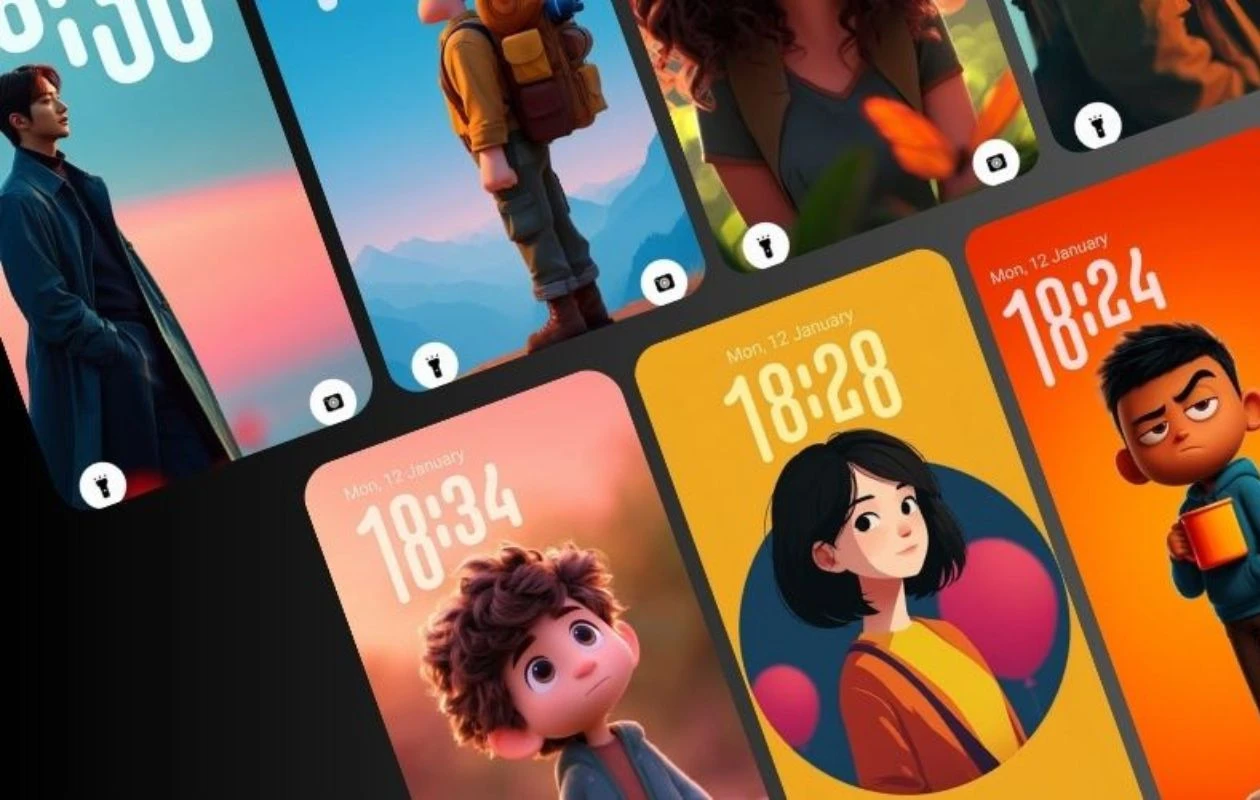
While most brands were chasing the depth effect after Apple introduced it, Samsung took a different approach with its own animated clock style. With the One UI 8 update, Samsung introduced the Adaptive Lock Screen clock. It can detect humans and animals in a wallpaper, and the clock adjusts its size and position around them, giving the lock screen a unique and attractive look.
Since the adaptive lock screen clock doesn’t work with all wallpapers, we created an app that only includes wallpapers that support this feature. The SamWalls App is available for Android 16 and One UI 8+ devices. It is mainly made for Samsung Galaxy users, but other Android users can also download it; just keep in mind that the adaptive clock feature won’t work on non-Samsung devices.
In the very first release of SamWalls – Samsung Adaptive Wallpapers, you get a modern and easy-to-use design. On the app’s homepage, there’s a search bar at the top and the latest wallpapers organized into categories below. There is also a Favorites section where you can find all the wallpapers you’ve liked.


The third tab is the Settings section, where you can manage options like preferred language, notifications, restoring purchases, clearing cache and search history, and more. The app also lets you switch between light and dark themes for a more personalized experience.
DOWNLOAD SAMWALLS FROM PLAYSTOREHow to apply wallpaper with Adaptive Clock on Samsung
While it’s easy to download or apply a wallpaper from our SamWalls app, there’s an extra step required to activate the Adaptive clock on the lock screen.
- First, download the wallpapers from our app. Make sure your Galaxy phone is running One UI 8 or higher.
- Now go to the lock screen and long-press to open customization.
- Tap on the Wallpapers button on the top left and choose the wallpaper you have downloaded.
- Now tap the clock and then choose the second clock option, which shows 2 longer than 1.
- The adaptive clock will detect the subject and automatically adjust around it.


This is the very first release, and we encourage users to share their feedback so we can continue improving the app experience. You can also send your feedback directly to us at samwallsapp@ytechb.com.
Upcoming – Samsung has expanded the detection beyond just humans and animals to include more subjects, such as buildings, in One UI 8.5. However, the update hasn’t reached many devices yet. Once it becomes widely available, we’ll also expand our wallpaper library to support more subjects in the app.
Related Articles:
- PhoneWalls Major App Update: Material 3 Expressive Redesign and New Features Detailed
- 20 Stunning One UI Adaptive Wallpapers for Samsung Phones – YMWC 47
- 18 Stunning Dark and Nature Wallpapers for iPhone and Android – YMWC 48
- 17 Amazing Wallpapers for iPhone and Android – YMWC 45
- PhoneWalls App Gets Live Wallpapers Support and More (Download Now)
- PhoneWalls App is Now Available for iOS with 2000+ Wallpapers!
- PhoneWalls v2.5.2 update is live on Play Store! Update Now!
- [v1.0.8 available] PhoneWalls App by YTECHB released for Android (Download Now)

