
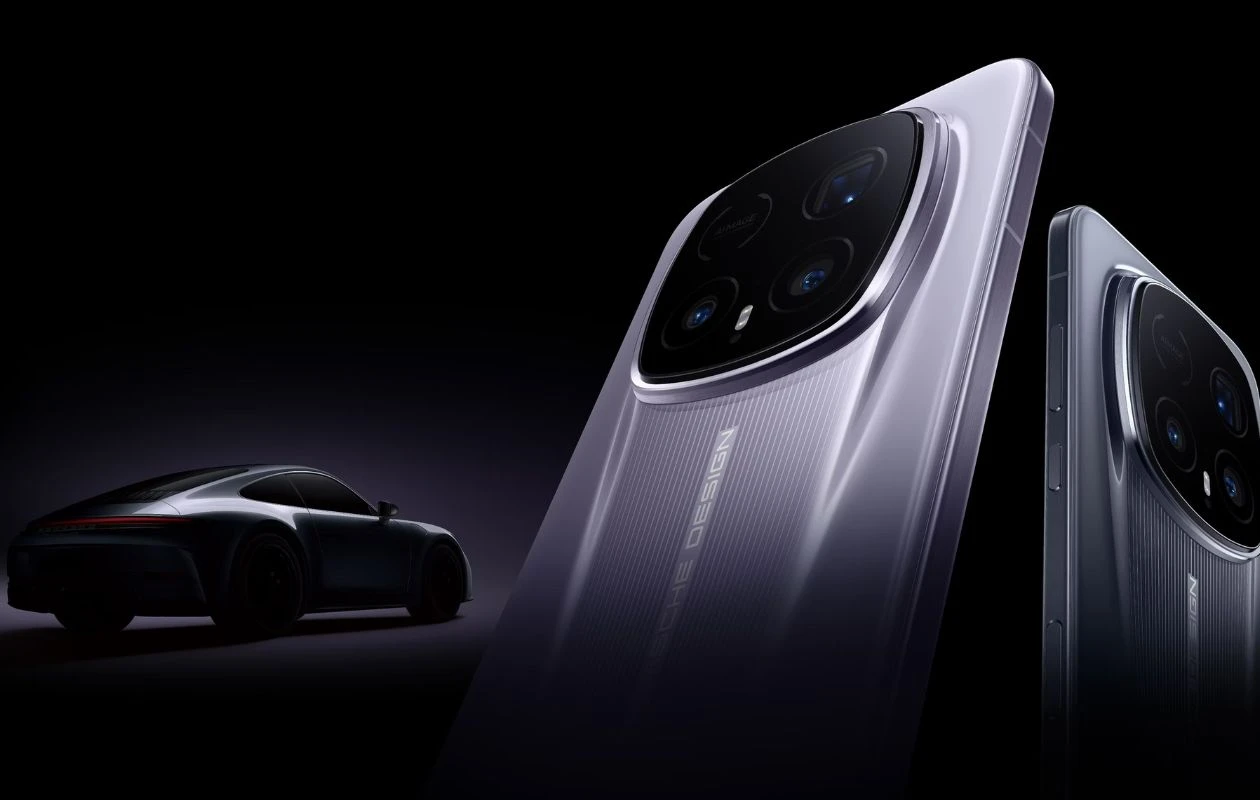
Last month, Honor unveiled the Magic 8 RSR Porsche Design in its home country, China, alongside the Magic 8 Pro Air. The collaboration device showcases Porsche-inspired design elements throughout – its camera module mirrors the signature matrix headlights of Porsche vehicles, and it’s 10% lighter than its predecessor.
Not only this, but the Honor Magic 8 RSR Porsche Design features a collection of automotive-themed wallpapers for car enthusiasts. You’ll be glad to know that the new Honor Magic 8 RSR Porsche Design wallpapers are now available to us in high quality.
Honor Magic 8 RSR Porsche Design Wallpapers
Wallpapers are one of the best things about the new Honor RSR Porsche Design phones, and the company takes things to the next level with the Magic 8 RSR Porsche Design. The phone bundles with an exclusive collection of 17 wallpapers that perfectly capture the performance, precision, and luxury of two products. The wallpapers reflect the elegance of sports car curves and aerodynamic lines, you’ll love using these wallpapers on your device.
All these wallpapers are available to us in 1332 X 2979 pixels resolution, so there’s no need to be acquainted with the quality of images. Here are the preview images of the new wallpapers.
Note: These listed images are the preview of the wallpapers and just for the representation. Preview is not in the original quality so don’t download from images. Use the download link given in the download section below.
Honor Magic 8 RSR Porsche Design Wallpapers – Preview


Download Honor Magic 8 RSR Porsche Design Wallpapers
If you like the Honor Magic 8 RSR Porsche Design wallpapers and want to use these wallpapers on your phone’s home screen or lock screen, you can download the high quality wallpapers using links below.
- Download Honor Magic 8 RSR Porsche Design Wallpapers (Our Wallpaper App – Android | iOS)
- Download Honor Magic 8 RSR Porsche Design Wallpapers (Google Drive)
- Download Honor Magic 8 RSR Porsche Design Wallpapers (Telegram)
Once downloaded, head over to the downloads folder, choose the wallpaper you want to set on your smartphone’s home screen or lock screen. Open it and then tap on the three-dots menu icon to set the wallpaper. That’s it.
Related Articles:
- Download Google Pixel 10a Wallpapers!
- Download Now: The Official Wallpaper from the New One UI 9 Update Page
- Download the Liquid Glass Apple Experience Wallpaper for your iPhone
- Download Honor Magic 8 Pro Air Stock Wallpapers [FHD+]
- Download iQOO Neo 11 Stock Wallpapers [FHD+]
- Download Samsung Galaxy F17 Stock Wallpapers [FHD+]
- Download Infinix GT 30 Stock Wallpapers [FHD+]
- Download official Galaxy Z Flip 7 Olympic Edition Wallpapers
- Download Redmi Turbo 5 (Max) Stock Wallpapers [FHD+]
- Download Honor Magic 8 Pro Stock Wallpapers [Live Wallpapers Added]

