
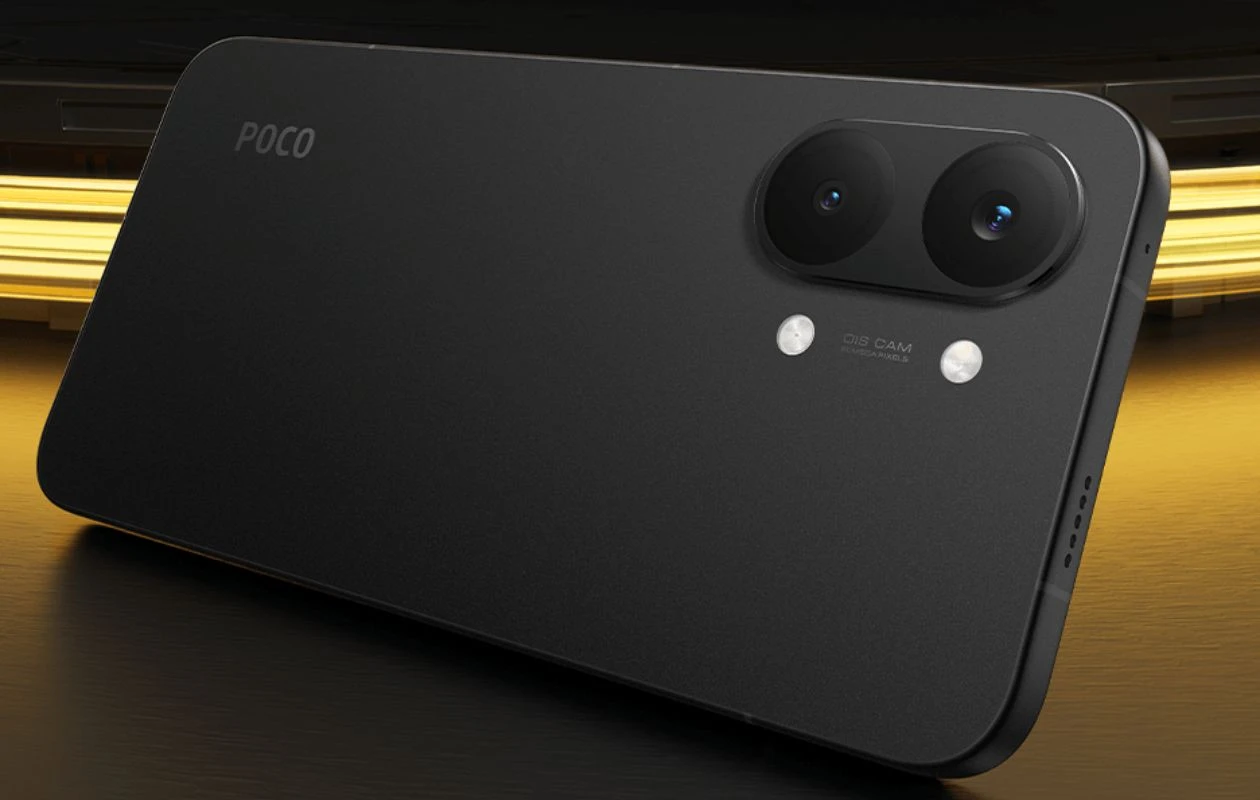
Xiaomi’s spin-off Poco unveiled its latest X-series phones – the Poco X8 Pro and the Poco X8 Pro Max. There’s no vanilla X8 this time, and the Pro Max is the premium in the lineup, billing with a flagship chip. Moving to the camera section, the company borrows the same setup from last year’s X7 phones. Similar to their predecessor phones, we can further enhance the camera performance by sideloading a GCam mod port on the new Poco X8 Pro phones.
If you’re looking for the best Google Camera for Poco X8 Pro and X8 Pro Max, you landed in the right place.
Google Camera for Poco X8 Pro (Max) [Best GCam 9.3]
Poco X8 Pro features a dual-lens camera setup on its back, featuring a 50MP Sony IMX882 (Light Fusion 600) snapper with f/1.5 aperture, 1/1.96″, 0.8-micron pixel size, and OIS support. The second sensor on the setup is an 8MP ultra-wide-angle sensor. The phone uses 4-in-1 pixel binning quad-bayer tech to capture high quality photos. In terms of software, the phone has a familiar stock camera app seen on many recent Xiaomi and Poco phones.
Poco X8 Pro is powered by the MediaTek Dimensity 8500 Ultra chipset, whereas the Pro Max has the Dimensity 9500s processor, and there are only a few GCam ports optimized for this chip yet. After doing some research, we found a couple of Google Camera mods that are compatible with the Poco X8 Pro line of devices.
Google Camera 9.3 from Pixel 9 series support features like Night Sight mode, Astrophotography, SloMo, HDR Enhanced, RAW support, Google Lens, and more. Now let’s take a look at the steps on how to download and install the Google Camera app on Poco X8 Pro series.
Download Google Camera for Poco X8 Pro and X8 Pro Max
Poco X8 Pro and X8 Pro Max users can easily install Google Camera port on their devices, thanks to the Camera2 API support. Below we attach two GCam ports and you’ll be glad to know that both ports work fine on the new phones. Here are the download links.
- Download Google Camera 9.1 for Poco X8 Pro and X8 Pro Max (MGC_9.3.160_V34_MGC.apk)
- Download Google Camera for Poco X8 Pro and X8 Pro Max (MGC_8.7.250_A11_V15a_MGC.apk)
- Download Google Camera for Poco X8 Pro and X8 Pro Max (AGC9.1.24_V11.0.apk)
Note: Before Installing the new Gcam Mod ported app, make sure to delete the older version (if you’ve installed). This is not a stable version of Google Camera, so it may have some bugs.

Once you installed these GCam ports on your Poco X8 Pro, you can start taking photos. Yes, there’s no need to do much configuration. Start capturing blazing and great photos directly from your Poco X8 Pro.
If you’ve any queries, drop a comment in the comment box. Also, share this article with your friends.
Explore More:
- Download Google Camera 9.3 for Moto Edge 70 Pro
- Download Google Camera 9.7 for OnePlus Nord 6
- Download Google Camera 9.7 for Nothing Phone 4a Pro
- Nothing Phone (4a) GCam vs Stock Camera – The Results Are Surprising
- Download Google Camera 9.3 for Motorola Edge 70 Fusion
- Download Google Camera 9.4 for Xiaomi 17 and 17 Pro Phones
- Download Google Camera 9.4 for Oppo Reno 15 Series

