
It won’t be wrong to say that Google Maps has been a digital compass of the world for almost two decades now. Yes, it has some competitors like Apple Maps or MapMyIndia; however, Google Maps remains a de-throned king simply because of its ease of access, usability, and coverage of every tiniest part of the world. Millions and billions of users use it daily, and it does its job almost perfectly. However, as we step forward in the era of artificial intelligence, Google is changing how we interact with the Maps application.
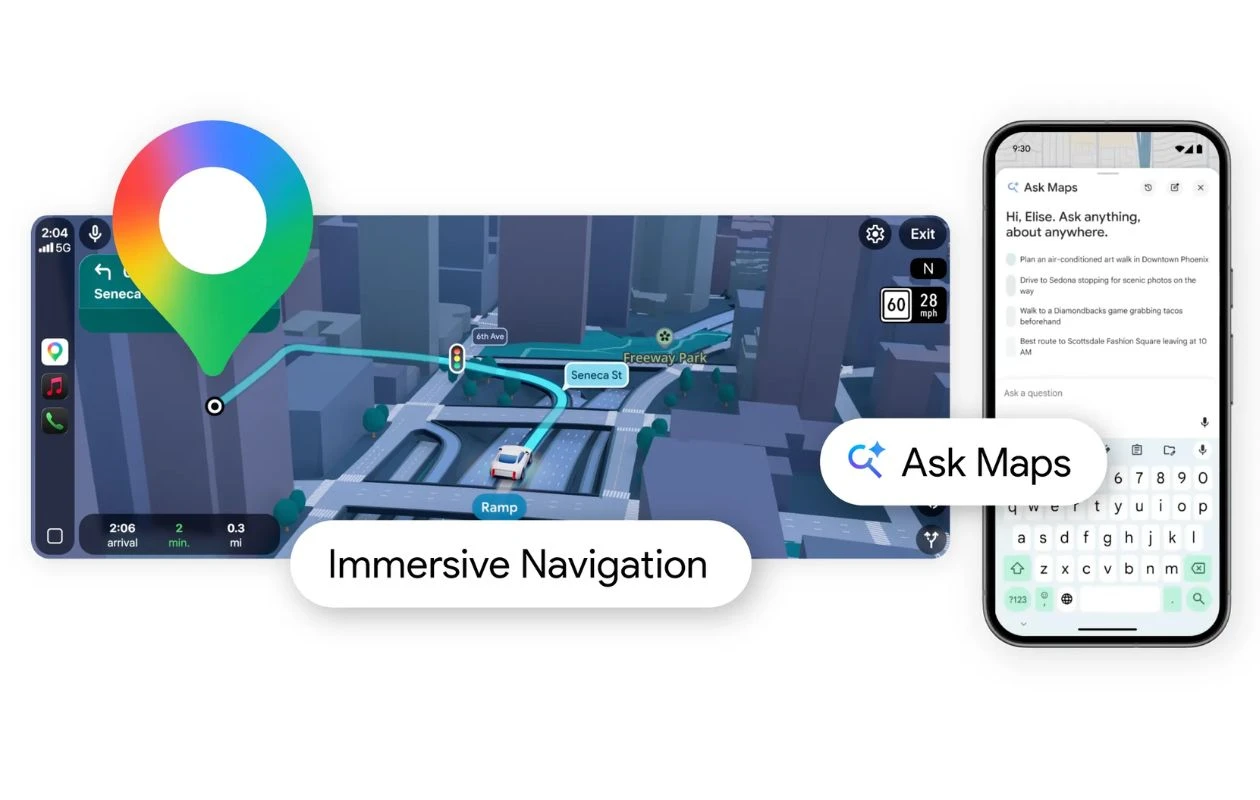
In 2026, it will no longer be “open app, search route, and click on direction.” Google recently added its powerful Gemini-powered Ask Maps feature to the app. It represents the most significant update to navigation since the arrival of GPS on smartphones. This feature moves beyond simple keyword searches like “pizza near me” and enters the realm of complex, contextual reasoning. It allows users to speak to their maps as they would to a local expert. It can act as someone who has read every review, knows the opening hours of every shop, and understands the nuances of your specific itinerary.
While the feature in itself is great, there’s a bit of a learning curve involved. And to help you with that, here is a detailed guide covering how to use the Ask Maps feature in Google Maps. We also discussed the top 3 use cases of the feature, wherein you can take the best advantage of it.
What is the Ask Maps feature in Google Maps?
To begin with, “Ask Maps” is an AI-driven conversational interface integrated directly into the Google Maps app. It is by the Gemini 3 and functions as a bridge between Google’s massive database of over 300 million places and the natural way humans actually communicate. Unlike traditional search, which relies on matching keywords to business titles, Ask Maps uses Natural Language Processing (NLP) to understand intent and context.
When you use Ask Maps, you aren’t just looking for a location; you are asking the AI to perform a multi-layered analysis. For example, if you ask for “a quiet cafe with outdoor seating and fast Wi-Fi for a two-hour meeting,” the Gemini-powered Ask Maps doesn’t just look for the word “cafe.” It cross-references user reviews for mentions of “noise levels,” scans photos for “patios,” and analyzes regional data to confirm “connectivity.”
Furthermore, the feature is multimodal and deeply personalized. It can take into account your saved places, past preferences, and even the current time of day or weather conditions to provide a curated list of suggestions. It transforms Google Maps from a passive tool into a proactive assistant that can plan entire afternoons, compare transit modes, and provide real-time updates through a chat-like interface.
How to Use the Ask Maps Feature in Google Maps
Using the Ask Maps feature is pretty simple. It just requires a precise prompt, and you will have your personalized, detailed answer in seconds.
Step 1: Before accessing the Ask Maps feature, make sure your Google Maps app is updated to the latest version available. Also, since the firm is rolling out the update in batches, it may be the case that you do not get the feature right away. In such cases, you need not worry as the update will land in the coming days.
Step 2: Once updated to the latest and compatible version, open Google Maps and click on the “Ask Maps” button present on the top left-hand side of the screen.

Step 3: Once you click on a button, a conversational-style interface will open. If you use a lot of AI tools or chatbots, you will already be familiar with the UI. In the dialogue box, write a detailed prompt and hit enter. Note: the better the prompt, the better the results.

Step 4: After you hit the send button, Gemini will analyse the query and give the response in the next few seconds. From the responses themselves, you can bookmark or get directions to the mentioned places. It is pretty simple to use.

3 Best Use Cases for the Ask Maps Feature
Planning a road trip often involves the annoying task of zooming in and out of your route to find stops. With Ask Maps, you can say: “Suggest three interesting landmarks to stop at between San Francisco and Los Angeles that are kid-friendly and don’t add more than 30 minutes to my drive.” The AI calculates the geometry of your route and filters locations based on sentiment analysis of “family-friendly” reviews.
Traditional search often fails with hyper-specific requirements. Ask Maps excels here. You can ask: “Are there any public tennis courts nearby that have lights turned on after 8:00 PM and aren’t usually crowded on Tuesdays?” By sifting through thousands of community updates and official park data, the AI provides a definitive answer that would otherwise require calling the venues.
Ask Maps can act as a logistics coordinator. You can ask: “Is it faster for me to take the Metro or an Uber to the stadium right now, considering the rain and the current game-day traffic?” Gemini will pull real-time weather, transit delays, and ride-share pricing to give you a summarized recommendation, saving you from switching between multiple apps.
Final Verdict
The integration of Gemini into Google Maps has to be one of the best moves of the artificial intelligence era. It successfully shifts the burden of research from the user to the software. While traditionalists may still prefer the old-school list view, the ability to have a nuanced, back-and-forth conversation with your digital Maps is undeniably efficient.
Further, the feature is remarkably polished, though users should still keep an eye on “hallucinations”. Regardless, it is quite literally the smartest way to get from A to B.
Read more:
- Give Your Old Bluetooth Speaker a Brain with ChatGPT Voice
- How to Plan Your Entire Trip Using Google Gemini AI: A Step-by-Step Guide
- How to Use Your Headphones as a Live Translator on iOS
- Top 5 Free AI Song & Music Makers: Tested
- How to Remove Copilot from Windows 11
- How to Get Seedance 2.0 Free Without a Chinese Number
- 10 Ways to Use Claude CoWork to Automate Your Daily Tasks
- Best Tricks to Hide YouTube Shorts From YouTube
- I Compared Google Gemini and Indus by Sarvam: Can an Indian Startup Really Beat Google?

