
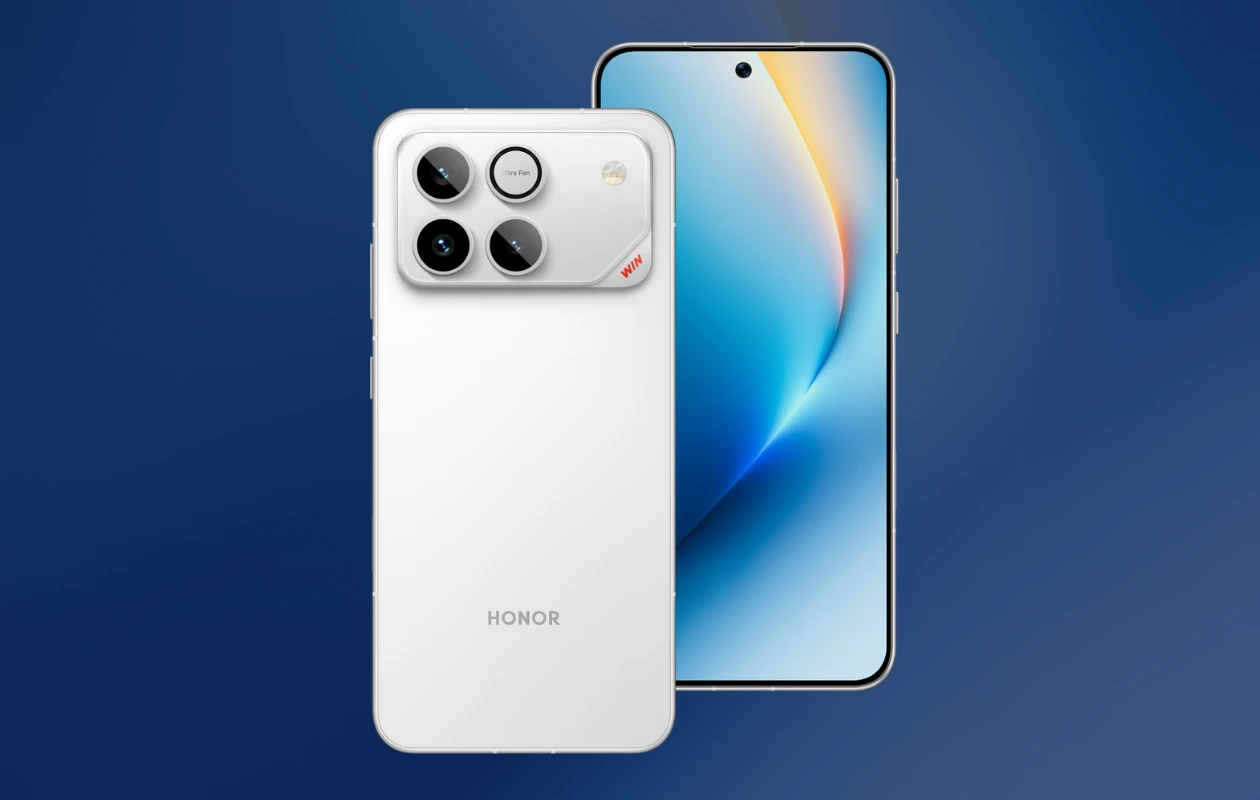
Honor recently unveiled two new gaming-focused phones in China, the Honor Win and the Honor Win RT. Both phones are equipped with powerful hardware, along with cool designs and impressive specifications. Additionally, both phones feature some cool wallpapers that you might enjoy. Here, you get to download Honor Win Wallpapers in their original resolution.
Both Honor Win devices feature a 6.83-inch OLED FHD+ display with a 185Hz refresh rate, making them ideal for gaming enthusiasts. The Honor Win is powered by the Snapdragon 8 Elite Gen 5 processor and Adreno 840 GPU, while the affordable model Win RT is powered by the Snapdragon 8 Elite and Adreno 830 GPU.
Coming to the camera department, the Honor Win is packed with a 50MP main camera, a 50MP telephoto camera, and a 12MP ultra-wide camera. The telephoto camera is not included in the budget-friendly Win RT model. Both models sport a 50MP front camera. There are a lot more things to talk about both models, but let’s focus on the wallpapers.
Brand
Honor
Device
Honor Win
Wallpapers
9
Resolution
3200 X 3200 Pixels
Honor Win and Honor Win RT Wallpapers
The new Honor Win devices feature some new wallpapers along with some common Honor wallpapers. The new designs are abstract and feature a touch of light, creating a visually appealing glow. Honor has used gradients perfectly that makes new designs look even more striking. You can check out all the Honor Win Wallpapers in the preview below.
Note: These listed images are the preview of the wallpapers and just for the representation. Preview is not in the original quality so don’t download from images. Use the download link given in the download section below.


Download Honor Win Wallpapers
Honor Win and Honor Win RT come with a total of nine wallpapers. Some of these are common Honor wallpapers that are also available on other devices. Honor Win wallpapers are available in 3200 x 3200 and 1453 x 3200 pixels resolutions. If you like the new set of wallpapers, you can download them from the links provided below.
- Download Honor Win Wallpapers (From Our App – iPhone | Android)
- Download Honor Win Wallpapers (Google Drive)
- Download Honor Win Wallpapers (Telegram)
Once downloaded, head over to the downloads folder, choose the wallpaper you want to set on your smartphone’s home screen or lock screen. Open it and then tap on the three-dots menu icon to set the wallpaper. That’s it.
Explore More:
- Download Nubia RedMagic 11 Pro Stock Wallpapers
- Download Moto G56 and G96 Stock Wallpapers
- Download: iPhone 1 to iPhone 17 Wallpapers [Complete Collection]
- Download: Here are the official OnePlus Ace 6T Genshin Impact Kamisato Ayaka Edition wallpapers!
- Download Nothing Phone 3a Community Edition Wallpapers
- Download NothingOS 4.0 Wallpapers in 4K resolution
- OnePlus 15R Wallpapers are available for download

