
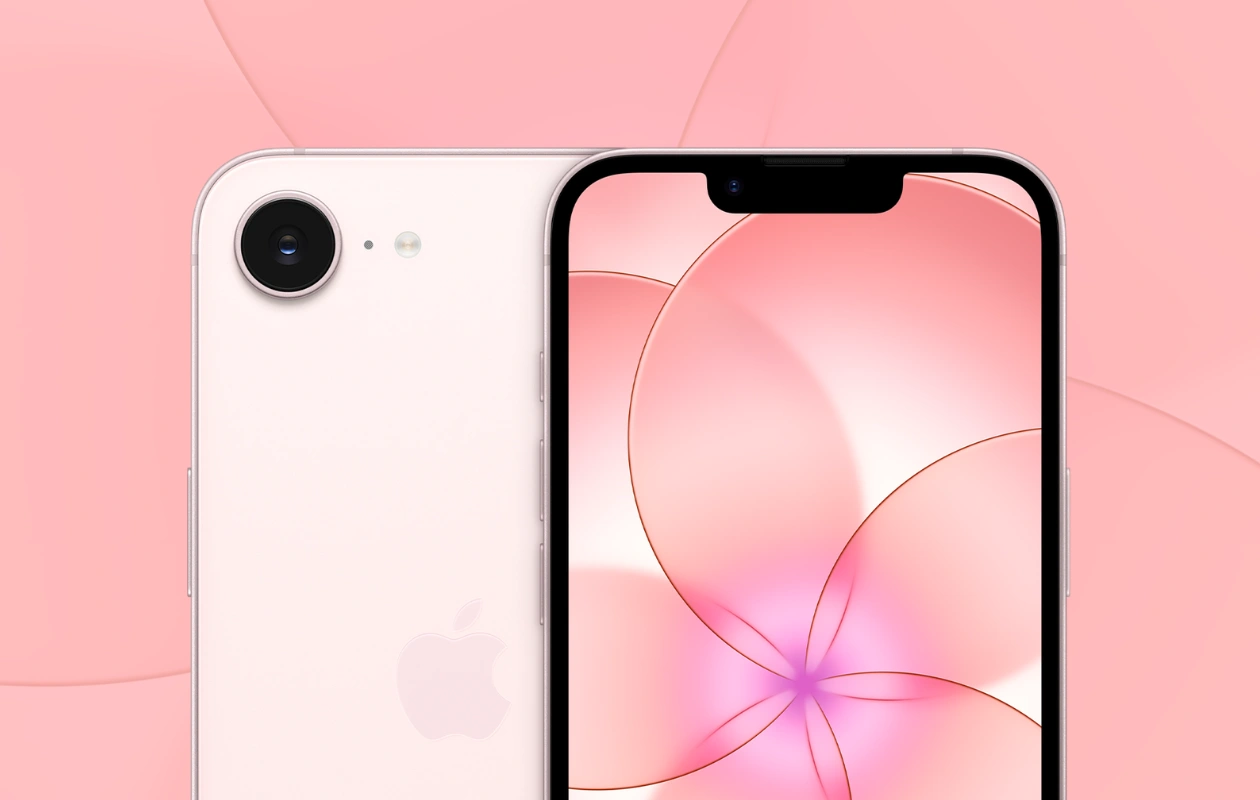
Apple has introduced the new affordable iPhone 17e, the successor to the iPhone 16e, which replaced the iPhone SE last year. The iPhone 17e arrives with fresh new color options, each paired with matching stock wallpapers. If you’re a wallpaper lover, you can download the iPhone 17e wallpapers here in their original resolution.
While the iPhone 17e maintains the same design as the iPhone 16e, it comes equipped with upgraded hardware, including the new A19 chip, C1X cellular modem, 256GB starting storage, MagSafe support, an improved camera system, and more. Surprisingly, it retains the starting price of $599 in the US, similar to the iPhone 16e. However, the price may vary depending on the region.
Other specifications of the iPhone 17e include a 6.1-inch Super Retina XDR display, Ceramic Shield 2, Face ID, an Action button, Apple Intelligence, and more. The new iPhone is available in three colors: Black, White, and Soft Pink.
iPhone 17e Wallpapers
The iPhone 17e brings beautiful new wallpapers featuring a five-petal flower design. These petals appear to be crafted from glass. The new iPhone wallpapers give a modern and calm aesthetic. As with other iPhones, the new wallpaper is available in three different colors that harmonize with the color palette of the iPhone 17e. All three wallpapers share the same design, as showcased in the preview below.
Note: Below are the preview images of the wallpapers just for the representation. Preview is not in the original quality so don’t download from images. Use the download link given in the download section below.


Download iPhone 17e Wallpapers
The iPhone 17e Wallpapers are available in three colors: Black, White, and Soft Pink. Each wallpaper is available in high-quality and high-resolution of 1170 x 2532 pixels. If you’re drawn to the new iPhone 17e wallpapers, you can download them from the links available below.
- Download iPhone 17e Wallpapers (From Our Wallpaper App – Android | iOS)
- Download Apple iPhone 17e Wallpapers (Google Drive)
- Download Apple iPhone 17e Wallpapers (Telegram)
Once downloaded, head over to the downloads folder, choose the wallpaper you want to set on your smartphone’s home screen or lock screen. Open it and then tap on the three-dots menu icon to set the wallpaper. That’s it.
Explore More:
- 31 Liquid Glass Optimized Wallpapers for iPhone
- Download Samsung Galaxy S25 Wallpapers
- 30+ Best Lock Screen Wallpapers for Android and iPhone – YMWC 24
- 40+ Stunning Aesthetic iPhone Wallpapers
- 16 Stunning Aesthetics Wallpapers for iPad
- 60+ Stunning iOS 16 Depth Effect Wallpapers for iPhone
- 60+ Stunning Dynamic Island Wallpapers for iPhone 14 Pro – YMWC
- Download: iPhone 1 to iPhone 16 Wallpapers
- 36 Amazing Depth Effect Wallpapers for iPad

